Name: Daniel Shepherd
|
RESEARCHED DEFINITION (provide
short internet researched definition and URL link)
|
DESCRIBE THE RELEVANCE OF THE
RESEARCHED TERM TO YOUR OWN PRODUCTION PRACTICE?
|
IMAGE SUPPORT (Provide an image
and/or video link of said term being used in a game)
|
|
VIDEO GAMES / VIDEO GAME
TESTING
|
Demo
|
“A game demo is a freely distributed piece of an
upcoming or recently released video game. Demos are
typically released by the game's publisher to help consumers
get a feel of the game before deciding whether to buy the
full version.”
|
I made a 2D game and I recorded my final version which would be considered as the demo of my game as it shows all the features of my game.
|
|
Beta
|
“The beta version of a game is as close
to perfect as the company can make it, but any bugs, glitches or other issues
discovered in beta testing will usually be addressed
before the game's official release.”
|
As I progressively went through making my 2D level I had to beta test my events to make sure they work well with no problem
|
 |
|
Alpha
|
“Alpha is the stage when key gameplay functionality
is implemented, and assets are partially finished. A game in alpha is feature complete, that is, game is playable and contains all
the major features. These
features may be further revised based on testing and feedback.”
|
My game, Aztec Attack hasn't been in the alpha stage yet as it is only one level and would be a rather short game. I couldn't release this to the public as it doesn't have to much on the side of content.
|
 |
|
Pre-Alpha
|
“A prototype, does not
resemble the final version in visual aesthetic or feature set. Probably
demonstrates a core-mechanic that makes the game unique. Could be an
experiment you wanted to try and show a few people (friends, forums, gamejam
crowd).”
|
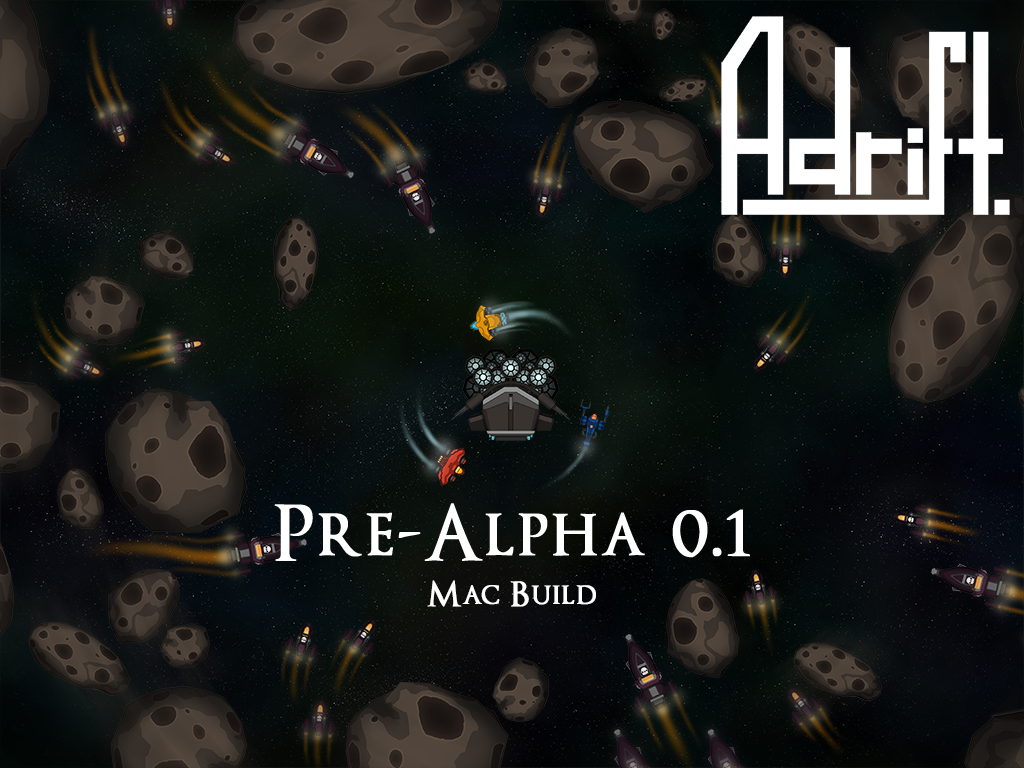
My 3D Arena Level was in the Pre-Alpha stage at the start. It began as just a small room with a few doors as my prototype then I built off that to create a final version.
|
 |
|
Gold
|
“The phrase "goes gold" comes
from the term "gold master", which is a version of the game that
its publisher has determined is good enough to be shipped to stores. So
when a game "goes gold", it means that development on the game is
done, and the game is ready to be sold.”
|
For a game of mine to go gold would mean I would need a game that is worth purchasing. If I was to carry on working on my 2D level by making more levels it could maybe "go gold."
|
 |
|
Debug
|
I debug my 2D Game when I made a mistake in
the event sheet. I went back look at what I did wrong and then changing it to
the correct code.
|
 |
||
Automation
|
“The definition of automation is the use of machines and
technology to make processes run on their own without manpower.”
|
In my 2D level I create a spawner which automatically spawns my enemies when you are within a specific range.
|
||
White-Box Testing
|
“Also known as glass box, structural, clear box and open box testing. A software testing technique whereby explicit knowledge of the
internal workings of the item being tested are used to select the test data.”
|
I tested my 2D level to make sure it was working well. I found out that there was a few problems and I needed to fix them.
|
||
Bug
|
“In
public declarations, glitch is used to suggest a minor fault
which will soon be rectified and is therefore used as a euphemism for a bug, which is a factual statement that a programming fault is to
blame for a system failure.”
|
I had a few bugs when trying to create my 2D
Game mostly due to a mistake in the event sheet like an animation is on a
continuous loop.
|
||
GAME ENGINES
GAME ENGINES
|
Vertex Shader
|
“The Vertex Shader is
the programmable Shader stage
in the rendering
pipeline that
handles the processing of individual vertices.”
|
I used this to manipulate a shape in Unity
to make a more complex shape I could otherwise not get.
|
|
Pixel Shader
|
I created a particle system in Unity to make
my torch look like it’s actually on fire.
|
|||
Post Processing
|
“The term post-processing (or postproc for
short) is used in the video/film business for quality-improvement image processing (specifically digital
image processing) methods used in
video playback devices. It is also commonly used in real-time 3D rendering (such as in video games) to add additional effects.”
|
On my 3D Arena Level, I used post processing on my skybox to make the sky look more realistic
|
Creating a
Survival Game in Unity: Tips 1 - Post Processing effects, image effects,
|
|
Rendering
|
“Rendering is
the process of generating an image from a 2D or 3D model (or models in what collectively could be called a scene file) by
means of computer programs. Also, the results of such a model can be called a rendering.”
|
In my 3D level I rendered out my level when I go into my first-person player model to see what everything would look like in the players eyes.
|
 |
|
Normal Map
|
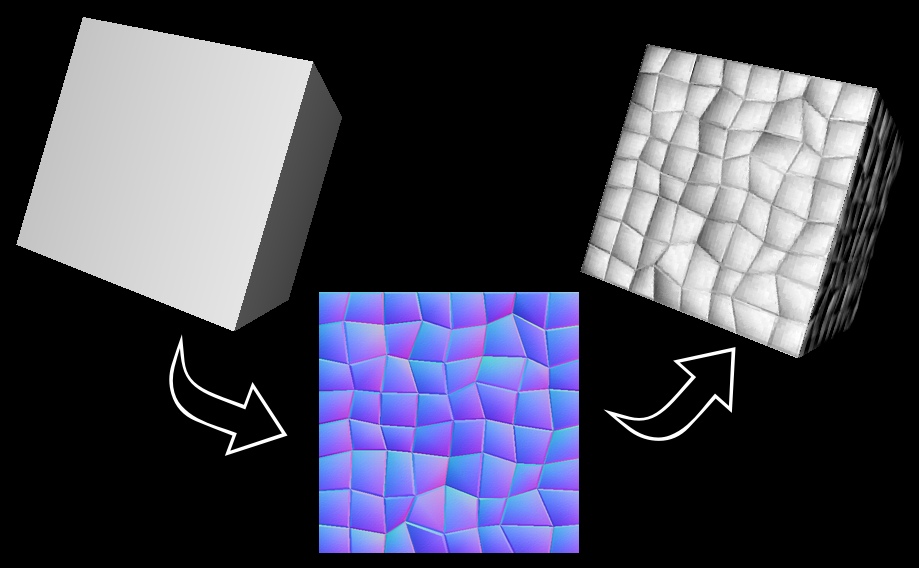
“A normal map is an
image that stores a direction at each pixel. These directions are called
normals. The red, green, and blue channels of the image are used to control
the direction of each pixel's normal.”
|
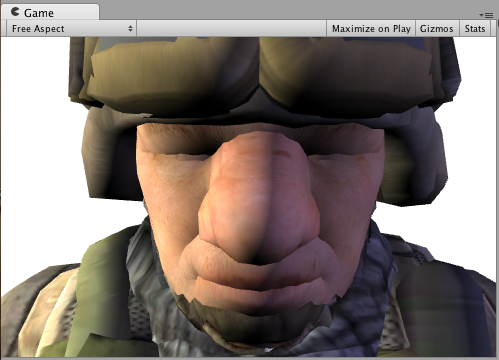
I used normal maps on some objects on my 3D Arena level so the textures on, say my walls look more detailed and realistic.
|
 |
|
Entity
|
“The entity is a
general purpose object. Usually, it only consists of a unique id. They
"tag every coarse gameobject as a separate item". Implementations
typically use a plain integer for this.”
|
I have created these in the form of sprites
in Construct 2 and objects in Unity.
|
||
UV Map
|
“UV mapping is the 3D modeling process of projecting a 2D image to a 3D
model's surface.”
|
You would use a UV Map when you want to texture an object with a 2D image (texture) onto a 3D surface.
|
||
Procedural Texture
|
“A procedural texture is
a computer-generated image created using an algorithm intended to create a
realistic representation of natural elements such as wood, marble, granite,
metal, stone, and others.”
|
In the 3D Arena Level I textured multiple
objects. I made a wooden texture which is placed on the inside floors, a
grass texture on the outside parts and a castle wall texture on the wall surrounding
the map.
|
 |
|
Physics
|
“Computer animation physics or game physics involves the introduction of the
laws of physics into a simulation or game engine, particularly in 3D
computer graphics, for the purpose of
making the effects appear more real to the observer.”
|
Physics are important when creating a realistic environment. You want water to flow to make it real or something in mid air to fall depending on the weight of the object.
|
 |
|
Collision
|
“Collision detection typically refers to the computational problem of detecting
the intersection of two or more objects.”
|
I used the collision boxes, (also known as
Hit Boxes), in construct 2. I had to mess around with this because I wanted
the bullets from the character to destroy when it hits the body of the
sprite, not before.
|
||
Lighting
|
“In computer
graphics, per-pixel lighting refers
to any technique for lighting an image or scene that calculates illumination
for each pixel on a rendered image.”
|
I used some lighting effects in my 3D Arena
Level. I created a torch like flame that is mounted on some walls around the
level.
|
 |
|
AA – Anti-Aliasing
|
“In computer
graphics, antialiasing is a software technique for
diminishing jaggies - stairstep-like lines that should be smooth.”
|
Anti-Aliasing would be used to smooth out jagged edges on say some stairs.
|
 |
|
LoD – Level of Detail
|
LoD would be used when creating a 3D model and how many polygons are on that model will determine how good the model will look. The more polygons, the more smoother the model will look.
|
|
||
Animation
|
I animated many different things in the 2D
game creation. I made animations for the characters/enemies, power-ups and
coins (for the score).
|
YouTube video, Game Animation Reel,
|
||
Sprite
|
I created sprites on Construct 2 when I had
to make a new object like the player, enemies and other such things.
|
 |
||
Scene
|
“a part of a play, movie, story, etc., in which a particular action or
activity occurs”
|
I created scenes in both the 2D and 3D level
where all the assets a placed onto and played on.
|
 |
|
Library
|
“A library is a
useful framework to tackle a specific need within a game engine.”
|
I used a library in Unity to create my 3D level. It has all my objects and texture in different library's.
|
||
UI
|
I used a UI in Unity. Unity has a rather simple UI, which can be customized to help the user become more adapt to it in their own specific way.
|
 |
||
Frames
|
“The number of consecutive full-screen images
that are displayed each second.”
|
I used this when I was making some of my
assets in the 2D game task. I used it to create an animation.
|
||
Concept
|
I had a concept for my 2D game. I planned
out how my character would look and then created a pixel art version of them.
|
 |
||
Event
|
“Discreet moments in the game loop where things are made to
happen based on what you have programmed for them.”
|
In the 2D Game creation I used the Event
sheet to program sprites and other objects to do certain actions at a
specific point.
|
||
Pathfinding
|
“Pathfinding or pathing is the plotting, by a computer application, of
the shortest route between two points.”
|
I used this in my 2D level so the enemies could find their way to the player sprite.
|
Showing posts with label Task 1 The Purposes and Functions of Components of Game Engines. Show all posts
Showing posts with label Task 1 The Purposes and Functions of Components of Game Engines. Show all posts
Task 1 The Purposes and Functions of Components of Game Engines




Subscribe to:
Posts (Atom)